Mobile Repair Service · London
Printer Setup & Troubleshooting London
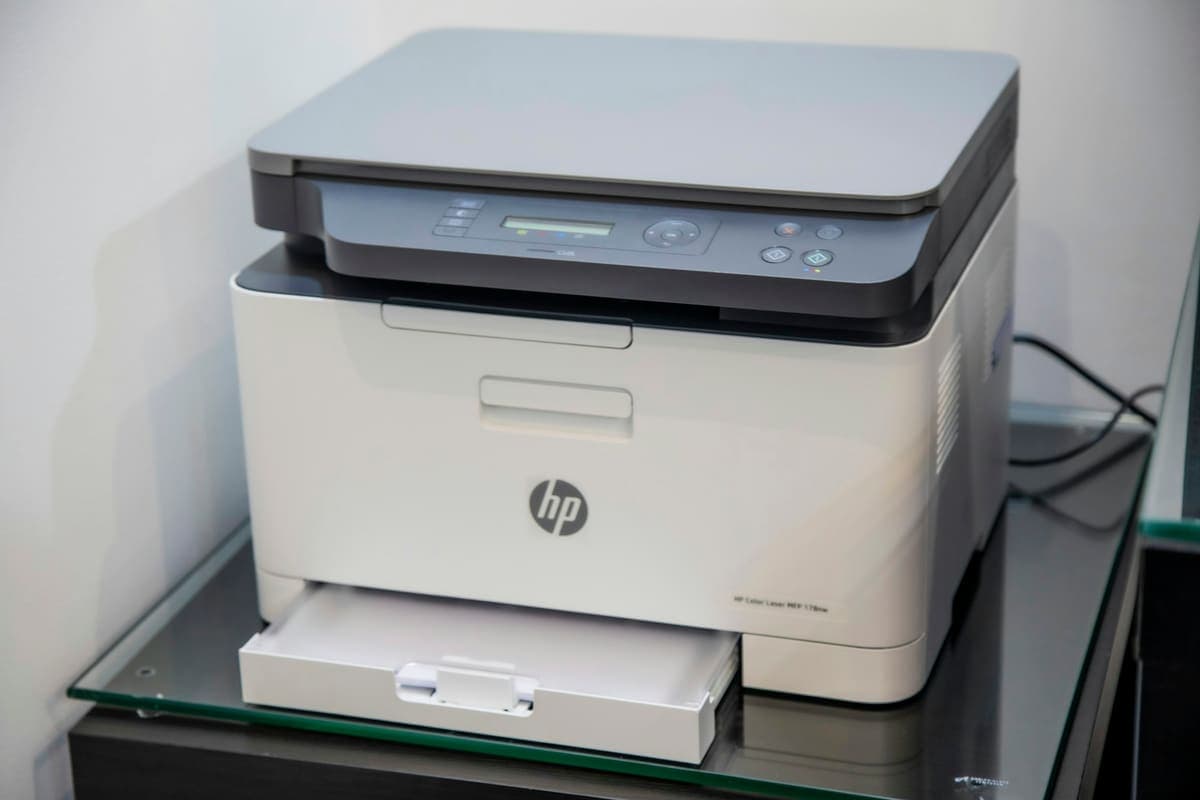
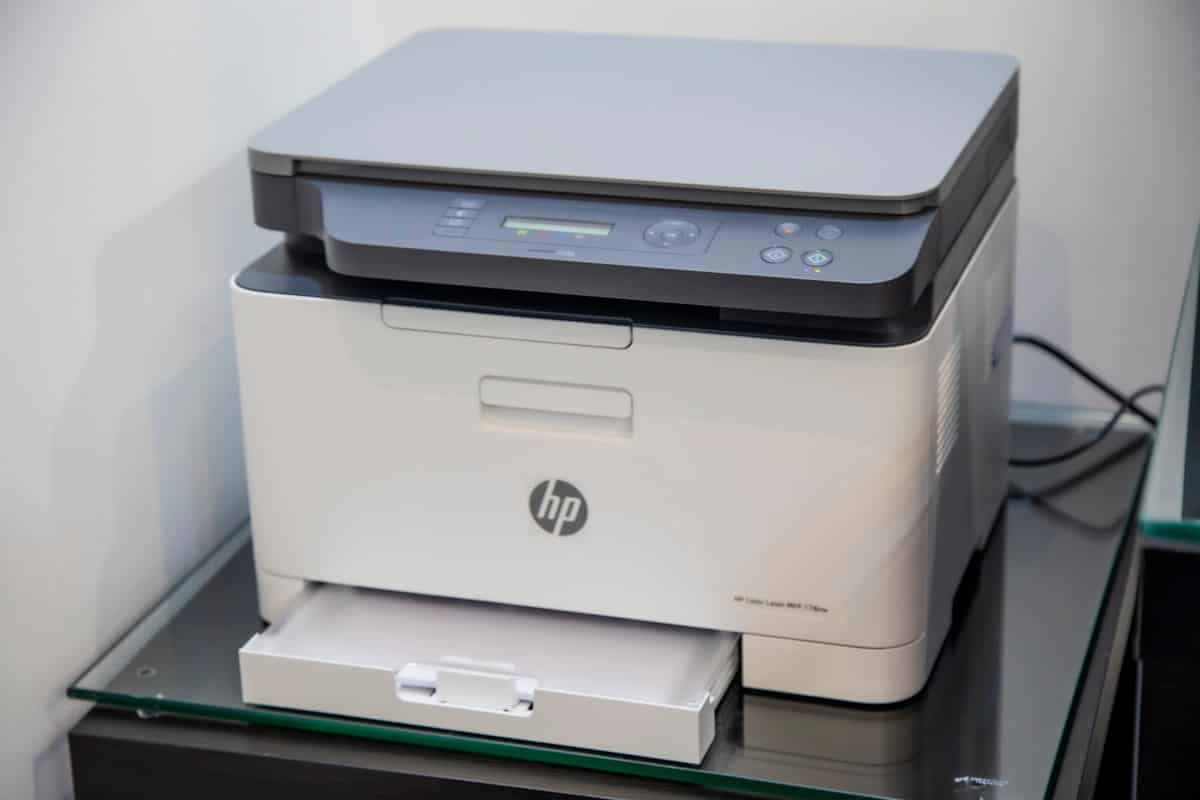
A printer that shows offline, won't connect to Wi-Fi, or simply refuses to print is one of the most common home and office callouts we get - and one of the most frustrating. We set up new printers, fix connection and driver problems, clear stuck print queues, and get wireless and AirPrint printing working again from Windows PCs, Macs, iPhones and iPads, all at your home or office.
No Fix, No Fee Same Day Visit 90-Day Warranty
Common Printer Support faults
- Printer shows "offline" or won't come online
- Printer won't connect to Wi-Fi
- Documents stuck in the print queue
- New printer setup and driver installation
- Printer not detected after a Windows update
- Wireless / AirPrint printing from Mac, iPhone or iPad
- Scan to computer or email not working
- Sharing one printer across several devices
We Come To You
No shop visit - we travel to your door
Same-Day Callout
Book before 2pm - we come today
No Fix, No Fee
Pay nothing if we can't fix it
Free Callout
No travel or visit charges
Fixed On-Site
Repaired in front of you, under an hour
All of London
Every borough, 7 days a week
What to expect with Printer Support
Printer support starts with a free diagnosis at your home or office. Our engineer finds out why the printer will not play — an offline status, a dropped Wi-Fi connection, a missing or wrong driver, a stuck queue or a setup that was never finished — and gives you a fixed price before any work, so there are no surprises.
Almost every printer problem is solved on-site in a single visit. We reconnect the printer to your network, install the correct drivers on your Windows PCs and Macs, clear jammed print queues, and get wireless and AirPrint printing working from iPhones and iPads too. You will see it print a test page before we leave.
We support all the main brands — HP, Canon, Epson, Brother, Samsung and more — across inkjet, laser and all-in-one models, and we can set one printer up to be shared across several computers and phones in the house or office. Scan-to-computer and scan-to-email are included where your printer supports them.
Everything is covered by our No Fix, No Fee guarantee — if we cannot get your printer working, there is no charge — and there is never a callout fee. We quote before we start and stay until it is genuinely working, not just plugged in.
Related repairs
What printer support costs
Agreed upfront before we touch your device. No surprises.
£120
per hour labour
minimum 1 hour · no hidden extras
Parts
quoted separately
agreed before any work starts
No fix → you pay £0
No diagnostic fee, no callout charge if we cannot repair
No callout charge
We travel anywhere in Greater London at no extra cost
90-day warranty
Parts and labour covered if the same fault returns
Software-only repairs with no parts are just the hourly labour charge. For screen replacements, batteries and board work, we confirm the parts cost with you before starting.
Why Choose We Repair Mac?
We Come to You
No need to visit a shop. We travel across all Greater London to your home or office. No extra charge for travel.
Same-Day Repairs
Most repairs are completed on-site within an hour. Book before 2pm and we will do our best to visit the same day.
Genuine Parts & Warranty
We use quality replacement parts and back every repair with a 90-day parts and labour warranty.
Fixed Price Quotes
We quote before we start. No surprise bills, no hidden charges - only pay when you are satisfied.
Experienced Engineers
Our engineers are experienced technicians with years of Mac, Windows PC, laptop and gaming repair expertise.
No Fix, No Fee
If we cannot fix your device, you pay absolutely nothing. That is our guarantee to every customer.
Printer Support problems we fix most often
- Printer shows "offline" or won't come online
- Printer won't connect to Wi-Fi
- Documents stuck in the print queue
- New printer setup and driver installation
- Printer not detected after a Windows update
- Wireless / AirPrint printing from Mac, iPhone or iPad
- Scan to computer or email not working
- Sharing one printer across several devices
The printer support faults we see most, and what we do about them
What each fault usually turns out to be, what we actually do about it, and roughly what it comes to. Where there is something worth trying yourself first, each one links to it — some of these you will fix in five minutes without us, and we would rather you did.
The printer says "Offline" but it is switched on
£120/hr labour·Fixed at your door
The printer says "Offline" but it is switched on
£120/hr labour·Fixed at your door
What it usually turns out to be
The computer has lost track of where the printer is. Most home routers hand out addresses on a lease, so after a router restart or a power cut the printer can come back on a different address while the computer is still looking at the old one. Windows also sets printers to "Use Printer Offline" on its own after enough failed attempts and then never clears it.
What we do about it
We fix the cause rather than the symptom: give the printer a fixed address on your network so it cannot move again, then rebuild the connection on each computer that needs it. That is the difference between it working today and it working next month. You watch a test page print from every device before we leave.
There are a few things worth checking yourself before booking anything — the safe checks for this fault are on our fault finder, and they solve it often enough to be worth five minutes.
£120/hr labour with a one-hour minimum, and most of these are finished inside it. Any hardware is quoted separately and only where it is genuinely needed. Quoted before we start, and nothing to pay if we cannot put it right.
The printer will not connect to Wi-Fi, or drops off after a router change
£120/hr labour·Fixed at your door
The printer will not connect to Wi-Fi, or drops off after a router change
£120/hr labour·Fixed at your door
What it usually turns out to be
Most home and small-office printers only support the 2.4GHz band. If your router broadcasts both bands under a single network name — which most modern routers do by default — the printer may never see a network it can join. A new router, or a broadband provider swapping your hardware, breaks it the same way: the stored network name and password no longer exist.
What we do about it
We get the printer onto the right band with a reserved address, then reconnect every computer, phone and tablet in the house or office to it. Where the router is the real problem — a provider box with band-steering that will not cooperate — we sort the router configuration rather than fighting the printer.
There are a few things worth checking yourself before booking anything — the safe checks for this fault are on our fault finder, and they solve it often enough to be worth five minutes.
£120/hr labour with a one-hour minimum, and most of these are finished inside it. Any hardware is quoted separately and only where it is genuinely needed. Quoted before we start, and nothing to pay if we cannot put it right.
Nothing prints — the jobs just sit in the queue
£120/hr labour·Often fixable remotely
Nothing prints — the jobs just sit in the queue
£120/hr labour·Often fixable remotely
What it usually turns out to be
A stuck job at the front of the queue, or the Windows Print Spooler service having stopped. Everything sent afterwards stacks up behind it, and cancelling from the queue often will not clear it because the spooler is the thing that has failed, not the job.
What we do about it
We clear the spooler properly, remove the stuck job at file level where the queue will not release it, and then look at why it happened — usually a corrupted driver or two conflicting printer entries for the same machine. Clearing it without fixing that just means you call us again next month.
There are a few things worth checking yourself before booking anything — the safe checks for this fault are on our fault finder, and they solve it often enough to be worth five minutes.
£120/hr labour with a one-hour minimum, and most of these are finished inside it. Any hardware is quoted separately and only where it is genuinely needed. Quoted before we start, and nothing to pay if we cannot put it right.
The printer disappeared after a Windows or macOS update
£120/hr labour·Fixed at your door
The printer disappeared after a Windows or macOS update
£120/hr labour·Fixed at your door
What it usually turns out to be
Major updates remove printer drivers they consider outdated, particularly for printers more than a few years old, and replace them with a generic driver that supports basic printing but loses scanning, duplex and tray selection. Sometimes the printer entry vanishes entirely.
What we do about it
We install the correct full-feature driver for your exact model rather than the cut-down one the update left behind, clear the duplicate entries, and confirm scanning and the paper trays work as well as printing. On older printers where the manufacturer has stopped supporting the current OS, we will tell you that plainly instead of charging you to chase a driver that does not exist.
There are a few things worth checking yourself before booking anything — the safe checks for this fault are on our fault finder, and they solve it often enough to be worth five minutes.
£120/hr labour with a one-hour minimum, and most of these are finished inside it. Any hardware is quoted separately and only where it is genuinely needed. Quoted before we start, and nothing to pay if we cannot put it right.
I cannot print from my iPhone or iPad
£120/hr labour·Fixed at your door
I cannot print from my iPhone or iPad
£120/hr labour·Fixed at your door
What it usually turns out to be
Either the printer does not support AirPrint, or — far more often — the phone and the printer are on different networks. A phone on the 5GHz band or the guest network cannot see a printer sitting on 2.4GHz behind client isolation, even though both are technically on "your Wi-Fi".
What we do about it
We get the phone and the printer onto the same network segment, turn off the client isolation that most provider routers enable by default, and test printing from each device. Where the printer genuinely has no AirPrint support, we set up a working alternative rather than pretending the feature exists.
There are a few things worth checking yourself before booking anything — the safe checks for this fault are on our fault finder, and they solve it often enough to be worth five minutes.
£120/hr labour with a one-hour minimum, and most of these are finished inside it. Any hardware is quoted separately and only where it is genuinely needed. Quoted before we start, and nothing to pay if we cannot put it right.
Prints are streaky, faded or blank even with full ink
£120/hr labour·Fixed at your door
Prints are streaky, faded or blank even with full ink
£120/hr labour·Fixed at your door
What it usually turns out to be
On an inkjet, dried ink blocking the print head — the standard result of leaving a printer unused for a few weeks. On a laser, a toner cartridge that has settled or a drum unit at the end of its life. Blank pages with full cartridges are usually a head that has clogged completely rather than an ink problem.
What we do about it
We establish whether the head is recoverable before you spend money on cartridges that will not help. Blocked heads can often be cleared properly rather than with repeated automatic cycles. Where a drum or head has genuinely failed on a cheap inkjet, we will tell you honestly that the part costs more than the printer is worth.
There are a few things worth checking yourself before booking anything — the safe checks for this fault are on our fault finder, and they solve it often enough to be worth five minutes.
£120/hr labour with a one-hour minimum, and most of these are finished inside it. Any hardware is quoted separately and only where it is genuinely needed. Quoted before we start, and nothing to pay if we cannot put it right.
Scan to computer or scan to email has stopped working
£120/hr labour·Fixed at your door
Scan to computer or scan to email has stopped working
£120/hr labour·Fixed at your door
What it usually turns out to be
Scanning uses a different piece of software from printing, so it breaks independently — and it is the first thing lost when an update swaps your full driver for a generic print-only one. Scan-to-email breaks separately again, usually because the mail provider tightened its authentication and the printer is still using a password that no longer works.
What we do about it
We reinstall the full scanning software for your model and reconnect it to the computers that need it, including scan-to-folder on a network share where that is more useful than scan-to-email. For scan-to-email we set up the modern authentication your mail provider now requires, which is the part most people get stuck on.
There are a few things worth checking yourself before booking anything — the safe checks for this fault are on our fault finder, and they solve it often enough to be worth five minutes.
£120/hr labour with a one-hour minimum, and most of these are finished inside it. Any hardware is quoted separately and only where it is genuinely needed. Quoted before we start, and nothing to pay if we cannot put it right.
Printer Support FAQs
Related Repair Advice
Practical guides from our engineers covering printer support.


Book Your Printer Support Today
Same-day visits across Greater London. No fix, no fee. No callout charge.