Mobile Repair Service · London
MacBook Screen Replacement London
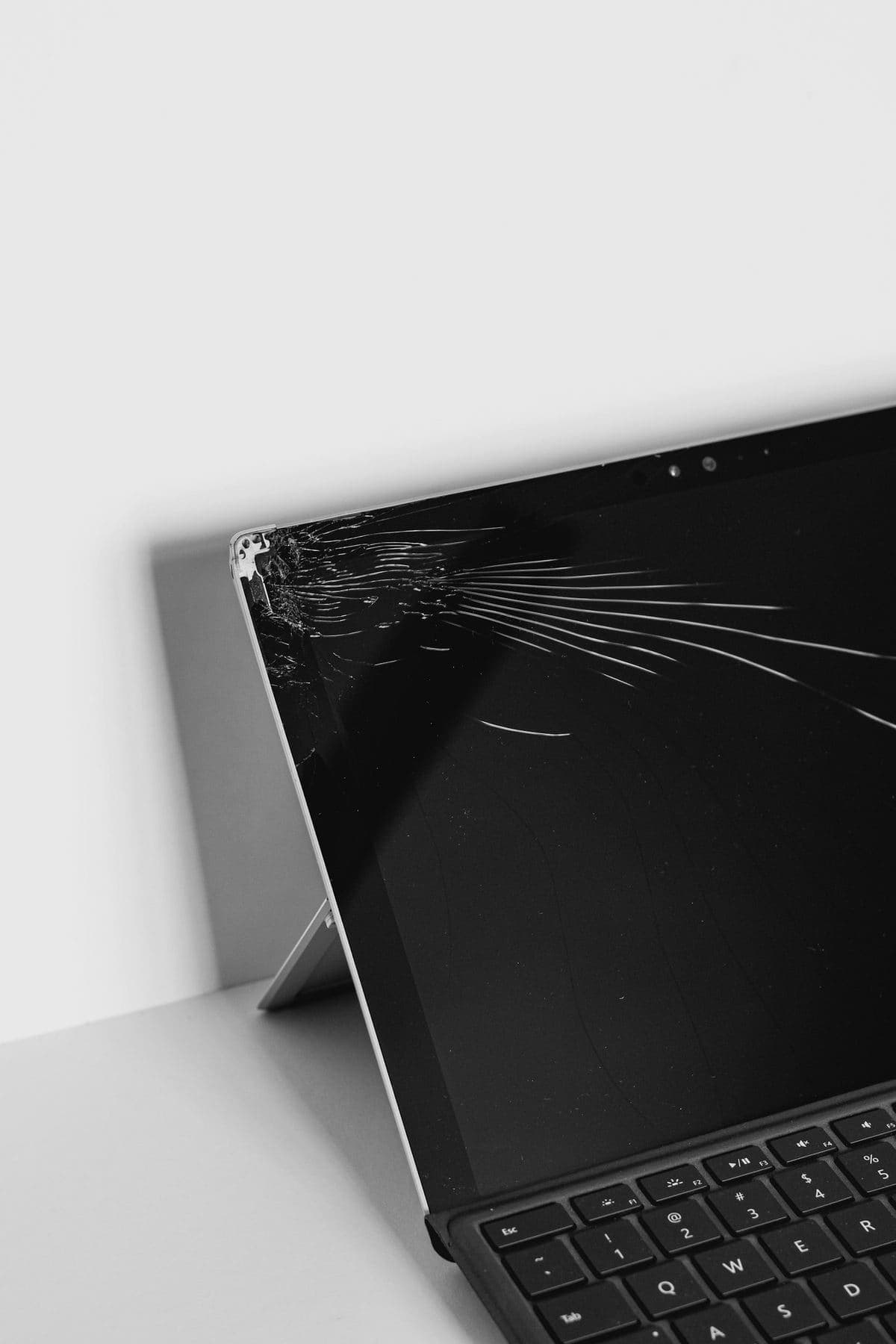
We replace cracked, flickering, dead, or dim MacBook screens using quality replacement panels. We cover MacBook Pro 13", 14", 15", 16" and MacBook Air 13", 15" - including Retina and Liquid Retina XDR displays.
No Fix, No Fee Same Day Visit 90-Day Warranty
Common Screen Replacement faults
- Cracked MacBook Pro screen
- MacBook Air screen broken after drop
- Flickering or lines on display
- Black screen - backlight failure
- MacBook screen damage from liquid
- Dim screen - inverter fault
- Dead pixels or colour distortion
- Screen hinge broken
We Come To You
No shop visit - we travel to your door
Same-Day Callout
Book before 2pm - we come today
No Fix, No Fee
Pay nothing if we can't fix it
Free Callout
No travel or visit charges
Fixed On-Site
Repaired in front of you, under an hour
All of London
Every borough, 7 days a week
What to expect with Screen Replacement
Not every MacBook display problem is a broken screen, so the first thing we do is establish which part has actually failed. Plugging into an external monitor answers the biggest question in about a minute: if the external picture is perfect, the fault is in the display assembly or its cable, and the expensive parts of your Mac are fine. If the external monitor is wrong too, the problem is further back on the board and a new screen would not have fixed it. The diagnosis is free, and it happens before anyone quotes you for a panel.
Cracked glass and physical impact damage are the clearest cases — the display assembly is replaced with the correct panel for your exact model, and on most MacBooks we do this at your home or office while you wait. Flicker, lines down the screen and images that distort when you move the lid are more often the display flex cable than the panel itself, which is a different and usually cheaper repair. A completely black screen that still chimes and shows a faint image under a bright light is normally backlight-related.
We quote the panel and the labour together, upfront, before anything is opened. Modern Retina and Liquid Retina XDR assemblies are genuinely expensive parts, and on an older MacBook the honest answer is sometimes that the screen costs more than the machine is worth. When that is the case we say so, and we will tell you what we would do in your position rather than fitting a panel that does not make sense.
Cost follows the model far more than the fault, because the display assembly is the expensive part and the range across MacBooks is wide. An older MacBook Air panel sits at the bottom; the 13-inch Pro a step above; the 14 and 16-inch Liquid Retina XDR assemblies are in a different bracket entirely, because the mini-LED panel is genuinely expensive hardware. Apple compounds this by replacing the whole display assembly as one part on every model. We quote the exact panel for your exact machine before anything is opened, and where the screen costs more than the Mac is realistically worth, we will tell you that instead of taking the work.
There is one fault worth naming because it is so often misdiagnosed as a broken screen. On the 2016 and 2017 MacBook Pro, the display cable is routed over the hinge and wears through with opening and closing — the symptom is a "stage light" effect along the bottom of the screen, uneven backlighting, or a display that cuts out entirely once the lid passes a certain angle. It is the cable, not the panel, and it is a far cheaper repair than a full assembly. Anyone quoting you a whole display for those symptoms on that model either has not looked properly or is hoping you will not ask.
On panel quality, we will be straightforward: cheap aftermarket MacBook screens exist, and they are cheap for reasons you notice every day — poorer colour, weaker brightness, sometimes True Tone that never works again. We fit panels that match the original specification, and if you have been quoted a figure elsewhere that seems impossible for your model, that difference is usually what it is. Most replacements are done at your home or office in a single visit while you watch, and we carry the common Air and Pro panels so you are not left waiting for parts.
Your data is untouched throughout — a display replacement does not go near the storage. Every screen repair carries our 90-day parts-and-labour warranty, there is no callout charge anywhere in Greater London, and if we cannot fix it you pay nothing at all.
Related repairs
What screen replacement costs
Agreed upfront before we touch your device. No surprises.
£120
per hour labour
minimum 1 hour · no hidden extras
Parts
quoted separately
agreed before any work starts
No fix → you pay £0
No diagnostic fee, no callout charge if we cannot repair
No callout charge
We travel anywhere in Greater London at no extra cost
90-day warranty
Parts and labour covered if the same fault returns
Software-only repairs with no parts are just the hourly labour charge. For screen replacements, batteries and board work, we confirm the parts cost with you before starting.
Why Choose We Repair Mac?
We Come to You
No need to visit a shop. We travel across all Greater London to your home or office. No extra charge for travel.
Same-Day Repairs
Most repairs are completed on-site within an hour. Book before 2pm and we will do our best to visit the same day.
Genuine Parts & Warranty
We use quality replacement parts and back every repair with a 90-day parts and labour warranty.
Fixed Price Quotes
We quote before we start. No surprise bills, no hidden charges - only pay when you are satisfied.
Experienced Engineers
Our engineers are experienced technicians with years of Mac, Windows PC, laptop and gaming repair expertise.
No Fix, No Fee
If we cannot fix your device, you pay absolutely nothing. That is our guarantee to every customer.
Screen Replacement problems we fix most often
- Cracked MacBook Pro screen
- MacBook Air screen broken after drop
- Flickering or lines on display
- Black screen - backlight failure
- MacBook screen damage from liquid
- Dim screen - inverter fault
- Dead pixels or colour distortion
- Screen hinge broken
What screen replacement usually costs
MacBook display assemblies vary more in price than any other part, so the range is wide and honest rather than narrow and wrong.
Cracked / faulty screen
£180 – £450
All-in figures covering labour at £120/hour (one-hour minimum) plus the parts a typical job needs. They are a guide, not a quote: the exact price is confirmed with you on site before anything is opened, and under our no fix, no fee guarantee you pay nothing if we cannot put it right. See full repair costs or get a closer estimate for your fault.
The screen replacement faults we see most, and what we do about them
What each fault usually turns out to be, what we actually do about it, and roughly what it comes to. Where there is something worth trying yourself first, each one links to it — some of these you will fix in five minutes without us, and we would rather you did.
The screen has lines, flickering, or a dark band across it
£180 – £450·Door or workshop
The screen has lines, flickering, or a dark band across it
£180 – £450·Door or workshop
What it usually turns out to be
Usually the display assembly itself — the panel, its ribbon cable, or the backlight. Vertical lines that stay put as the picture changes point at the panel; flickering that varies with the lid angle points at the cable; a picture you can only see with a torch held at an angle is a backlight fault, which is often repairable on the board rather than needing a whole new screen.
What we do about it
We establish first whether you need a whole display assembly or something far cheaper, because those two answers differ by several hundred pounds. Backlight faults and display-cable faults are frequently board-level repairs costing a fraction of a full display assembly, and we would rather do the cheaper version of the job than sell you the dearer one.
There are a few things worth checking yourself before booking anything — the safe checks for this fault are on our fault finder, and they solve it often enough to be worth five minutes.
A guide range, not a quote — the exact figure is confirmed on site before anything is opened, and you pay nothing if we cannot fix it.
Screen Replacement FAQs
Related Repair Advice
Practical guides from our engineers covering screen replacement.



Book Your Screen Replacement Today
Same-day visits across Greater London. No fix, no fee. No callout charge.