22 July 2026
MacBook Trackpad Not Clicking Anymore? It Might Be Your Battery
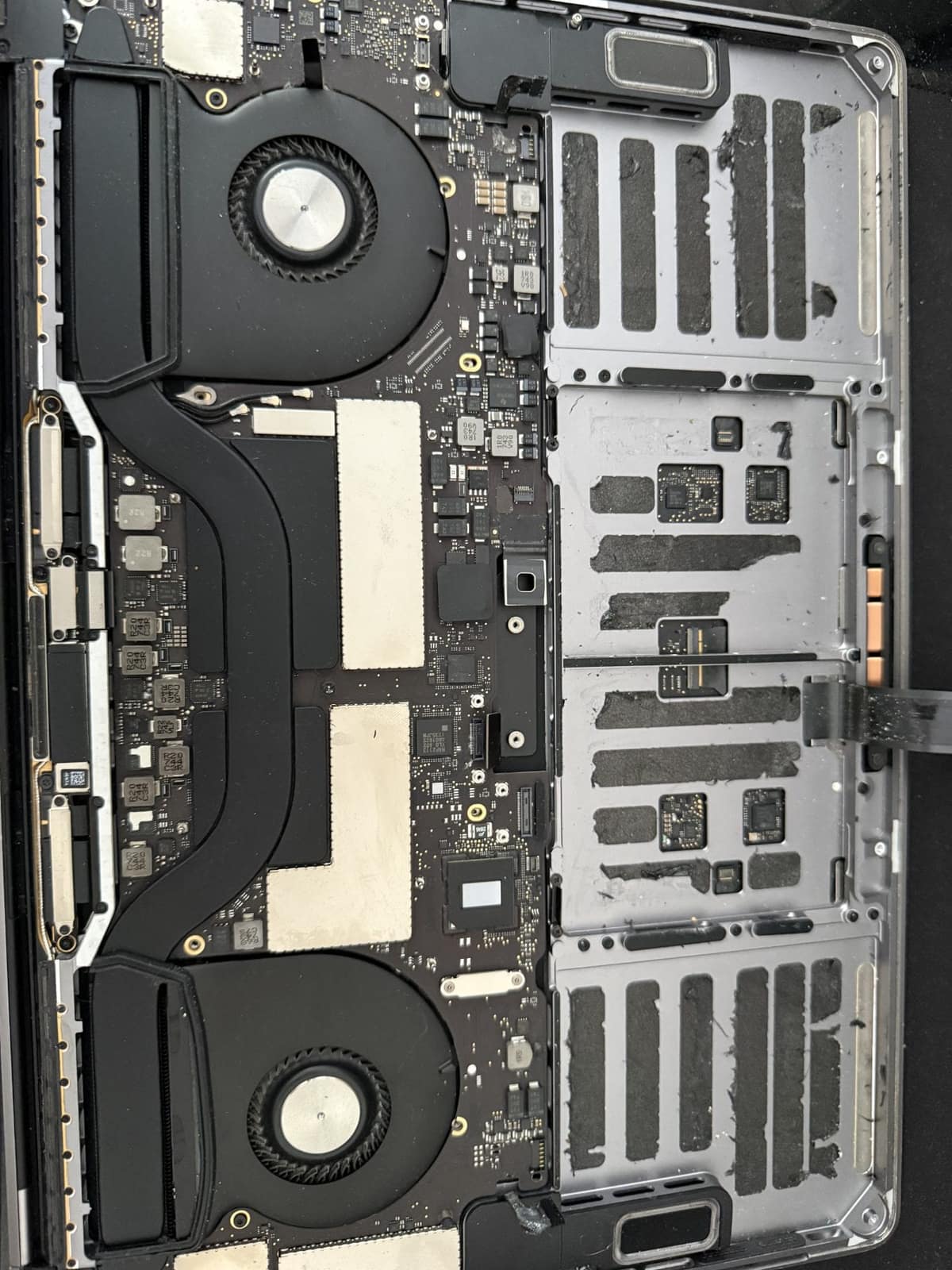
When a MacBook trackpad stops clicking or feels stuck, the trackpad itself is rarely at fault. It is usually the battery swelling underneath it.
A tired MacBook Pro is often one repair away from several more good years. These are the factors that decide whether that repair is money well spent.
Most MacBook Pros are worth repairing. The common faults — a worn battery, a cracked screen, a failing keyboard, or a machine slowed down by dust and heat — are fixable, and the repair usually costs a fraction of a replacement. A new battery typically comes to £120–£220 and a screen to £180–£450. The real question is not whether it can be fixed, but whether the machine will still do what you need afterwards, and that comes down to its age, its software support and what else is wearing out.
Software support matters more than people expect. Apple has said macOS Tahoe is the last major version for Intel Macs, and only a few 2019 and 2020 Intel models can run it. An Intel MacBook Pro that cannot run a current macOS will gradually lose app and security updates, so a large repair on one deserves more thought. Any MacBook Pro with Apple Silicon (M1 or later) has years of support left and is almost always worth fixing.
Need help right now? Our MacBook Pro Repair engineers can come directly to your home or office anywhere in Greater London to diagnose and fix this for you.
A repair is only good value if the rest of the machine is sound, so we check the whole Mac, not just the fault you called about, and give you the full picture before you decide.
A repaired MacBook Pro can comfortably give several more years of everyday use. These habits help it get there.
We come to your home or office anywhere in Greater London for MacBook Pro repair.
When a MacBook trackpad stops clicking or feels stuck, the trackpad itself is rarely at fault. It is usually the battery swelling underneath it.
Loud fans and a hot aluminum chassis can indicate thermal throttling. Here is how to keep your MacBook Pro cool.

A sticky MacBook keyboard often points to trapped crumbs or dried liquid underneath the butterfly or scissor mechanisms.