Based in New Malden · Serving all of Greater London
Back to real repairs
Richmond18 August 2026

MacBook Pro 15-inch (A1398) shutting down mid-work — battery replaced and fans cleaned

A 2015 15-inch MacBook Pro in Richmond was shutting down mid-work with a battery service warning. We fitted a new genuine Apple battery and cleaned the clogged fans.

Device
MacBook Pro 15-inch 2015 (A1398)
Location
Richmond
Where we worked
Fixed on site
Turnaround
1 hour
Parts fitted
Genuine Apple battery for MacBook Pro 15-inch 2015 (A1398)
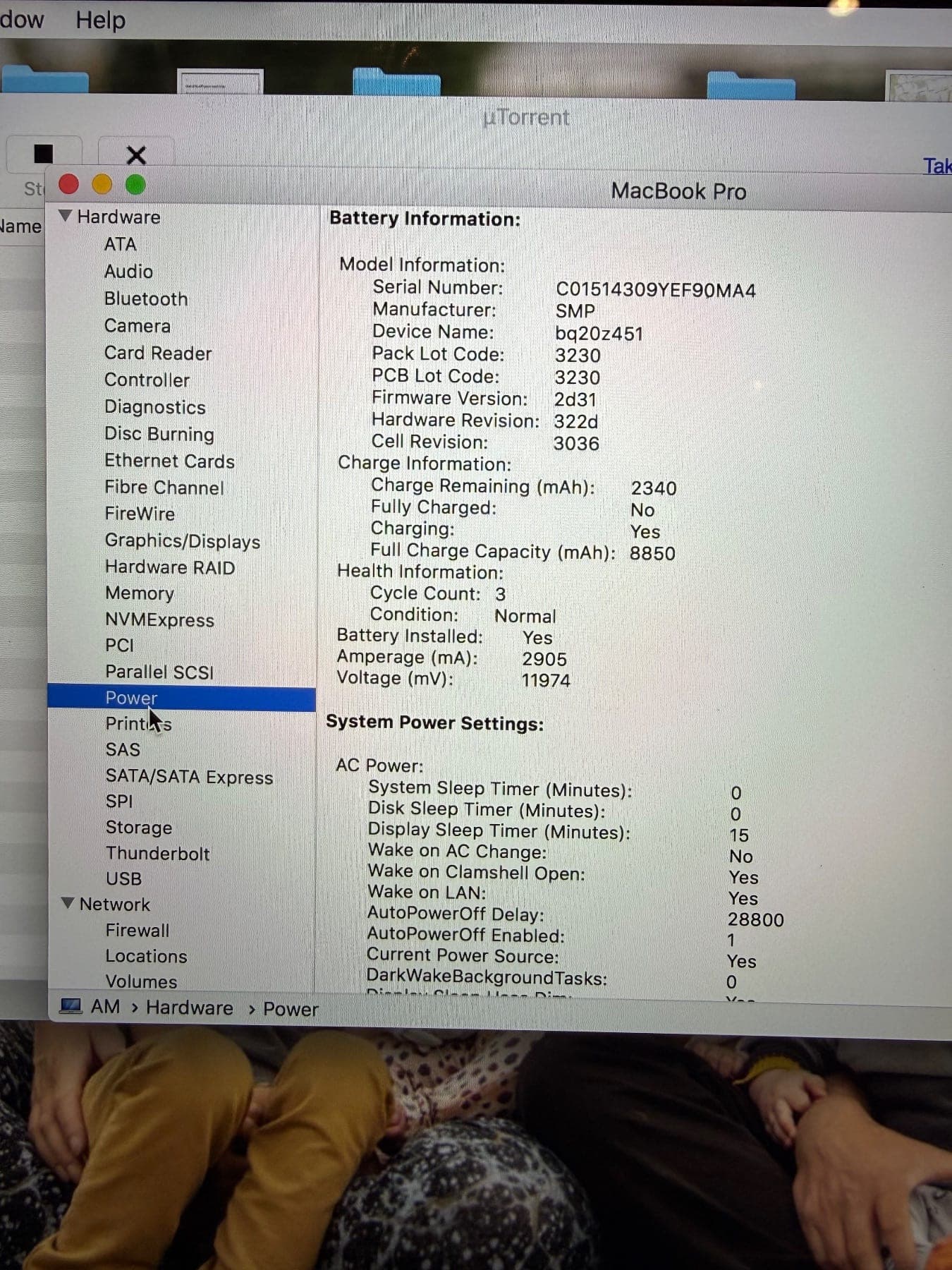
System Information Power pane on a MacBook Pro showing battery model, charge and health information with condition Normal
Battery reporting after the replacement — condition Normal and charging.

The call

A customer in Richmond got in touch about a 15-inch MacBook Pro that kept shutting down in the middle of work. macOS was also showing a battery service error. They asked us to look at it where the machine was being used.

Reported fault: Shutting down mid-work with a battery service warning

What we found

  • The machine was shutting down mid-use and reporting a battery service error, so the battery was condemned.
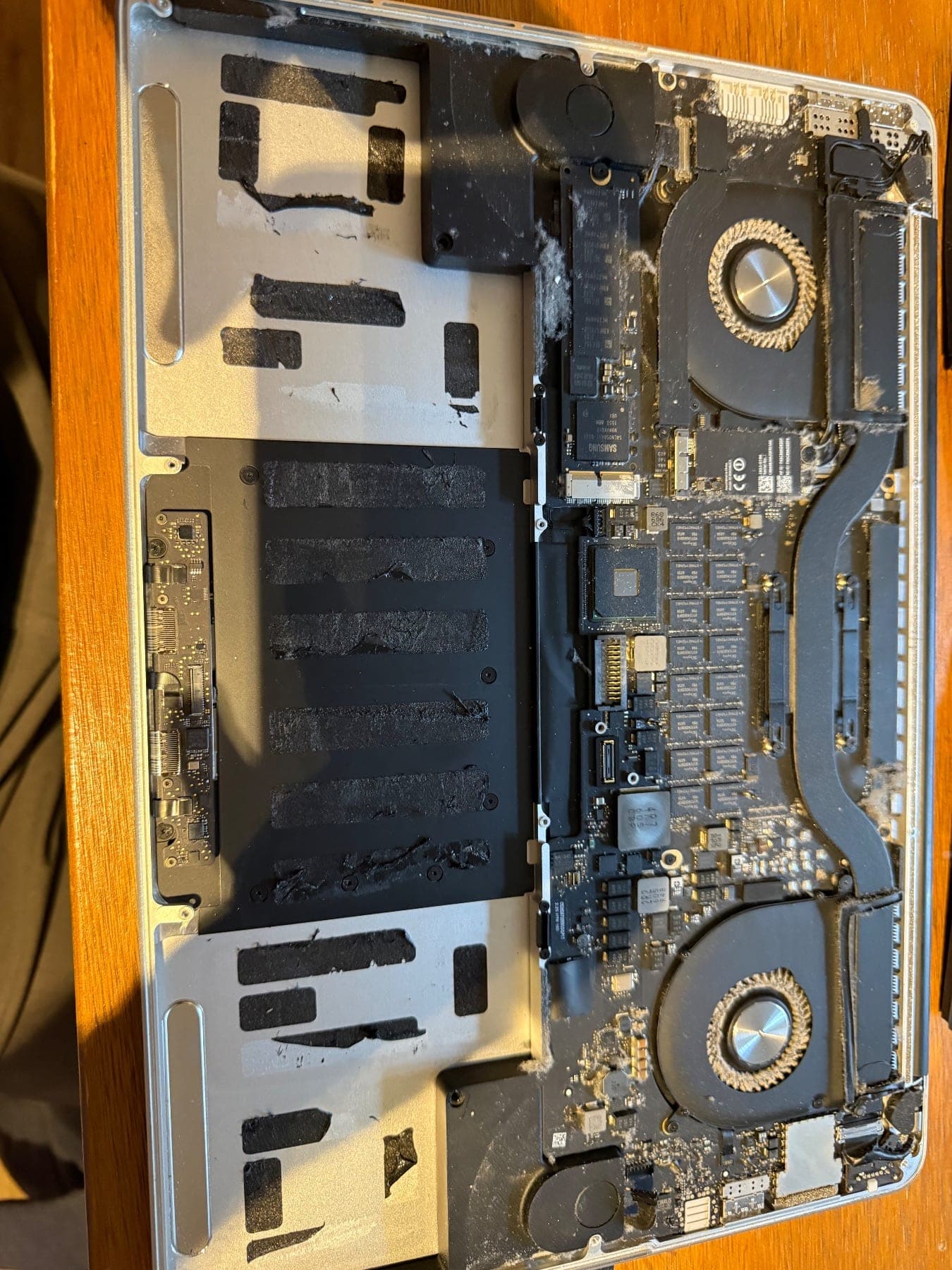
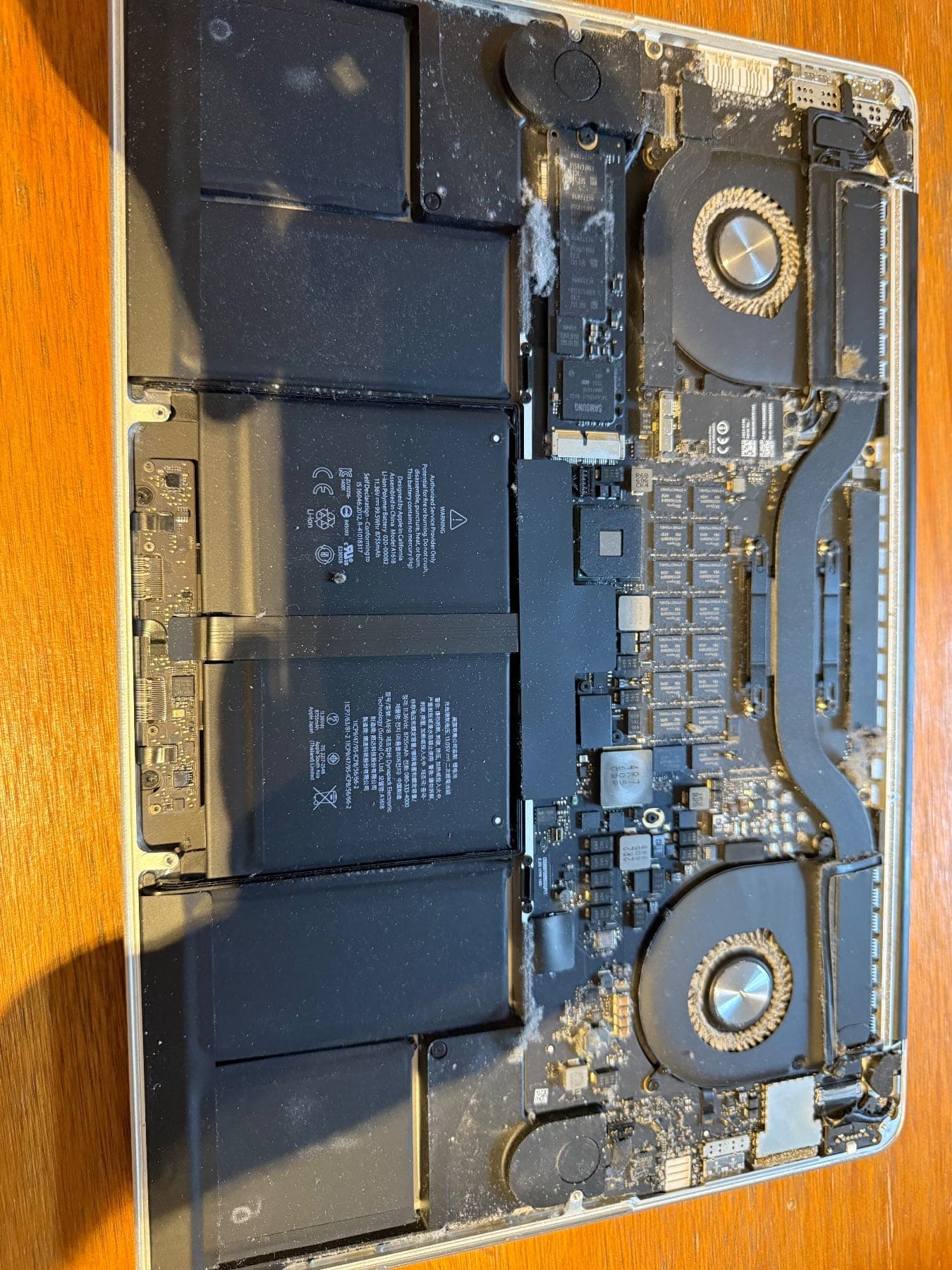
  • With the bottom case off, the internals were heavy with dust and lint — the fan intakes and heatsink areas are visibly clogged in the photos.

During the repair

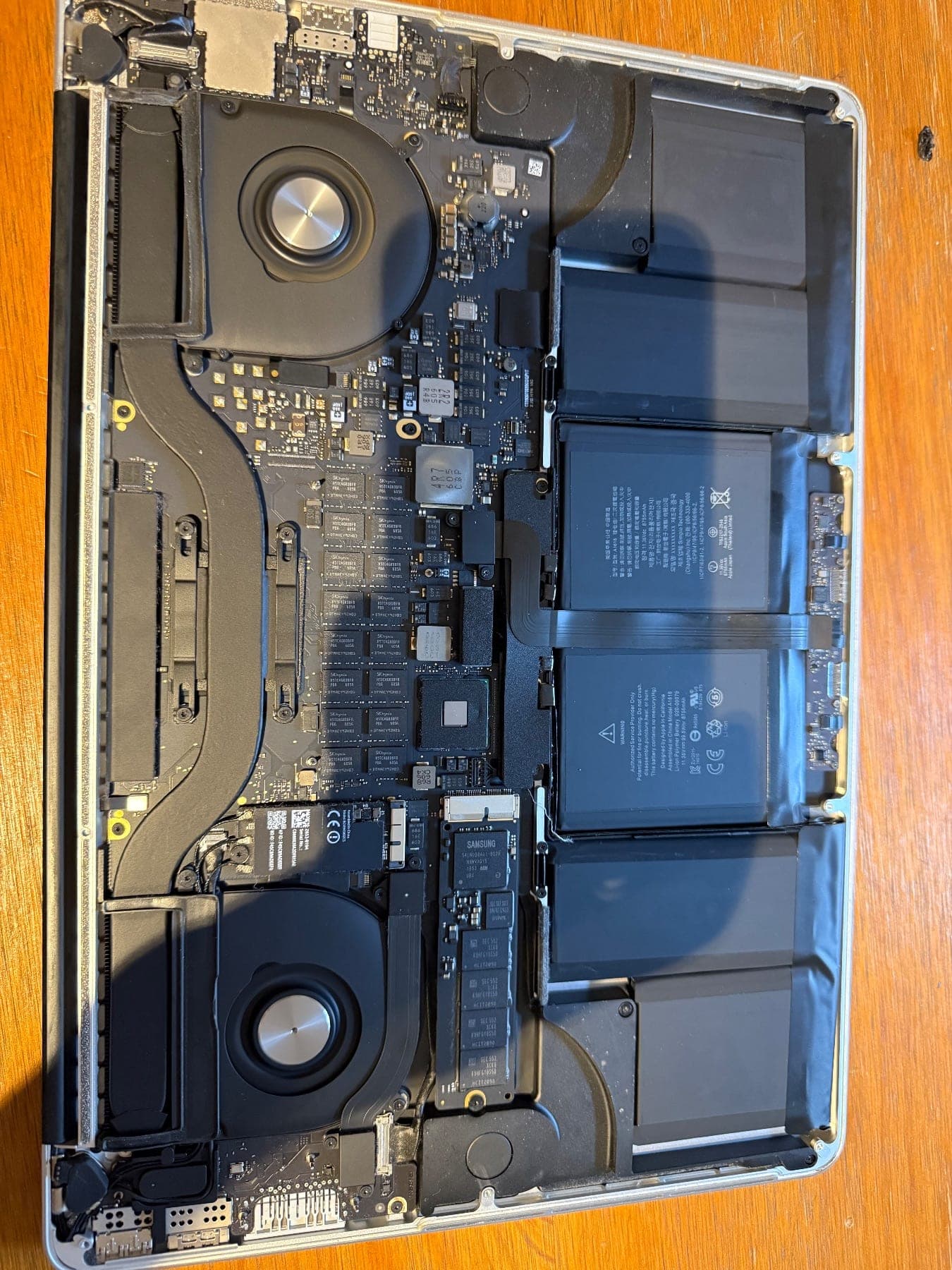
MacBook Pro 15-inch with the bottom case removed, showing the logic board, two fans and the battery cells in place
New Battery Installed
MacBook Pro top case with the battery removed, showing adhesive strips and dust and lint built up around the fans and heatsink
With the battery out, the dust build-up around the fans is clear.
MacBook Pro internals with battery cells fitted, dust and lint visible on the fans and board
Old battery and clogged fans

What we did

  1. 1Opened the bottom case and disconnected the battery.
  2. 2Removed the old battery pack from the top case.
  3. 3Cleaned the dust and lint out of both fans and the surrounding heatsink and vent areas.
  4. 4Fitted a new genuine Apple battery for the 15-inch 2015 MacBook Pro and reconnected it.
  5. 5Reassembled and checked the battery reporting in System Information — condition reading Normal and charging correctly.

The result

The MacBook Pro went back to the customer in Richmond holding charge and no longer shutting down mid-work, with the cooling cleaned out so it runs cooler under load. The battery and the work carry our 90-day warranty, and we work no-fix-no-fee.

Same fault on your Mac?

We come to your home or office in Richmond for battery replacement.

More about what we do in this area: Mac repair in Richmond.

Other repairs we have done

View all repairs
Cooling fan removed from an iMac, held in hand, with a thick layer of dust caked along the intake edge
Earls Court · 17 August 2026

iMac 21-inch (2015): SSD upgrade and full dust clean

A 2015 21-inch iMac from a customer in Earl's Court came in for an SSD upgrade and internal clean. We fitted a Crucial BX SSD, cleared heavy dust from the fan and vents, and returned it on the latest macOS within 24 hours.

Call NowGet a Quote